 Sign Shoot
For photographers · Weddings, portraits, product and events
No shot forgotten. Your client chooses, you shoot.
Sign Shoot builds the shot list for every shoot from eight templates, sends your client a link to pick styles and shots on their phone and, on the day, lets you tick off each shot with one tap.
- 8templates
- 34languages
- 2free active shoots
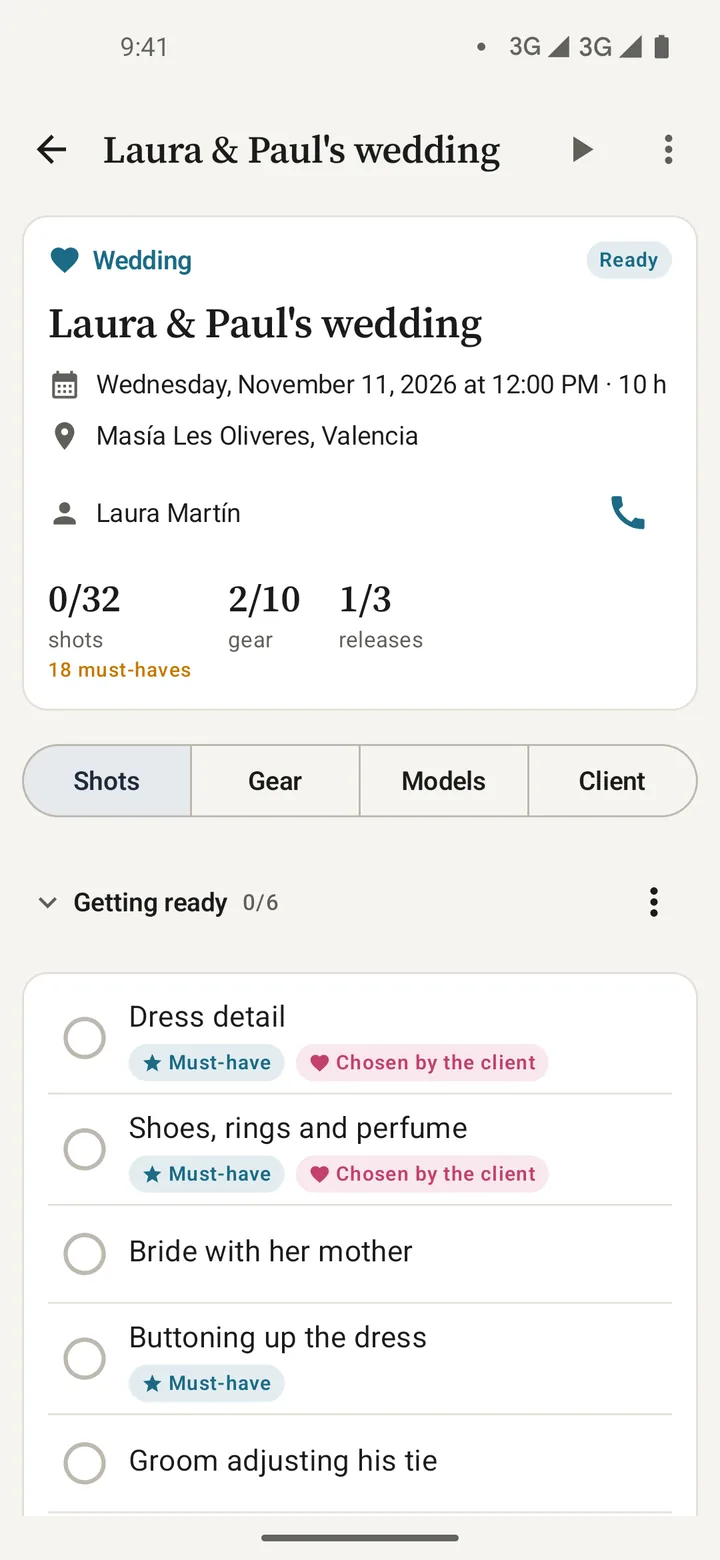
Templates included
- Full wedding
- Portrait
- Family
- Product
- Fashion
- Stock
- Event
- Real estate
Video
Sign Shoot in one minute
See how to build the shot list, how your client chooses on their phone and how it works on the day of the shoot.
The video loads from YouTube when you press play.
How it works
From the client meeting to the last shot, in four steps.
No paper lists or stray notes on your phone. Everything about the shoot in one place, and it works offline.
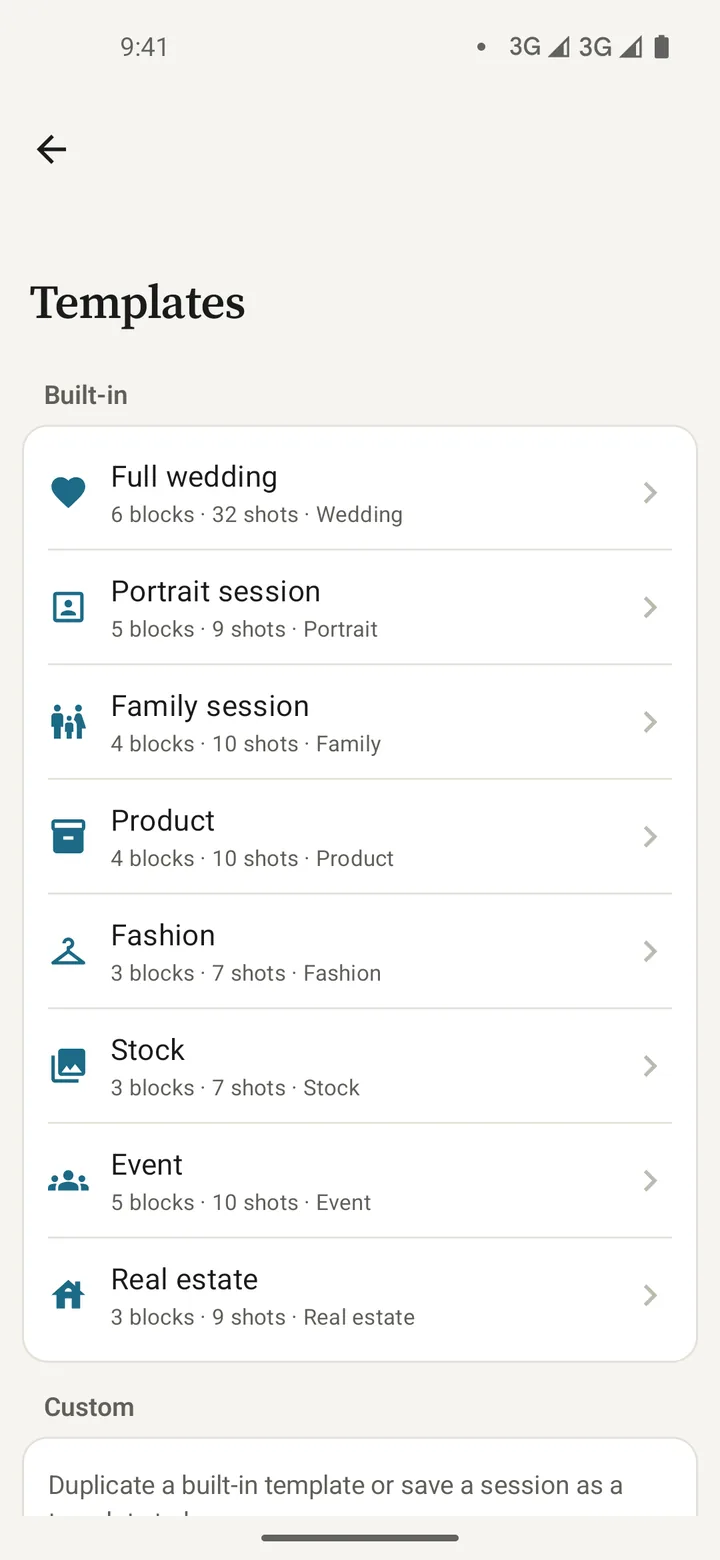
Start from a template
Pick the type of shoot and get the blocks, the must-have shots and the gear. Add, remove and reorder.
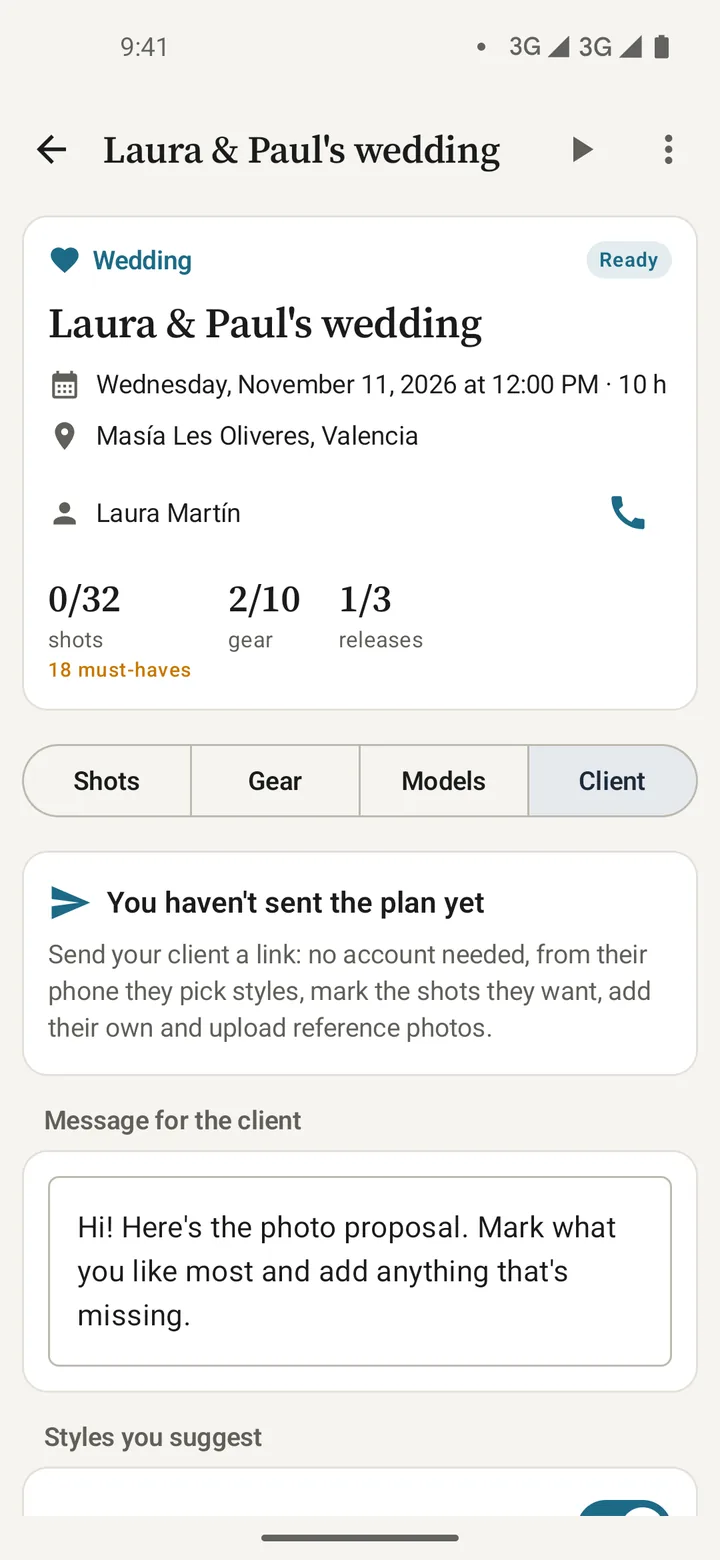
Send the proposal
A link or QR code by WhatsApp, SMS or email, with your message and the styles you suggest.
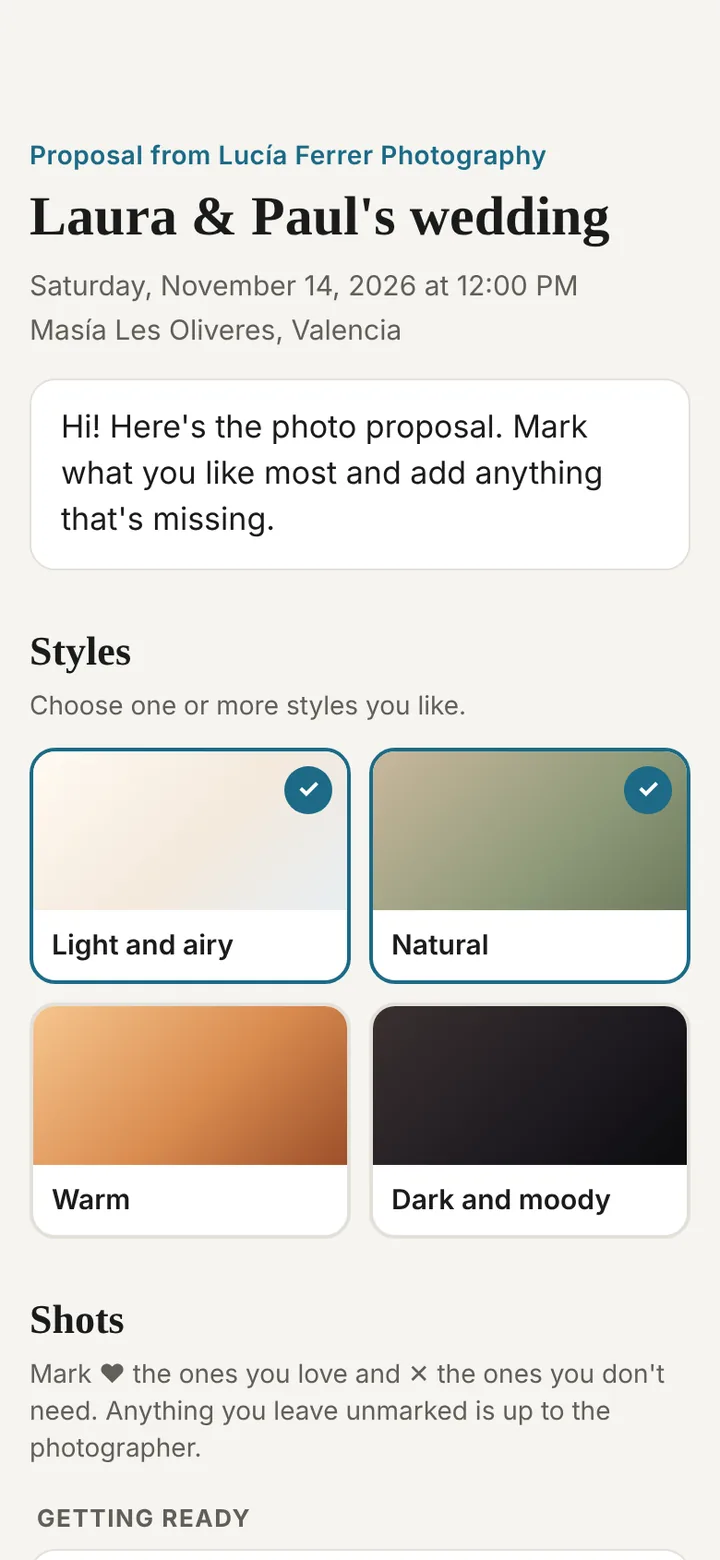
Your client chooses
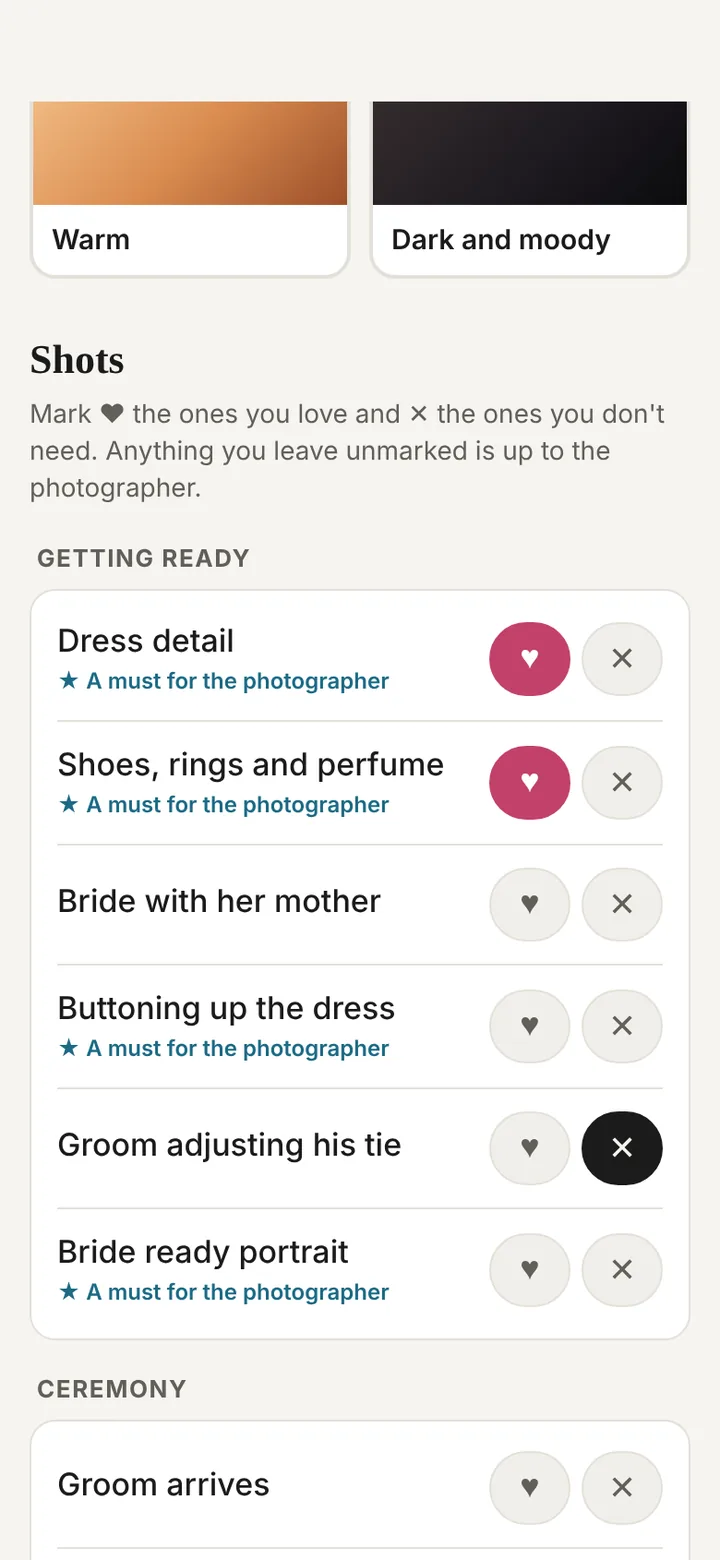
On their phone, no account: styles, ♥ for what they love, ✕ for what they don't need, their own shots and reference photos.
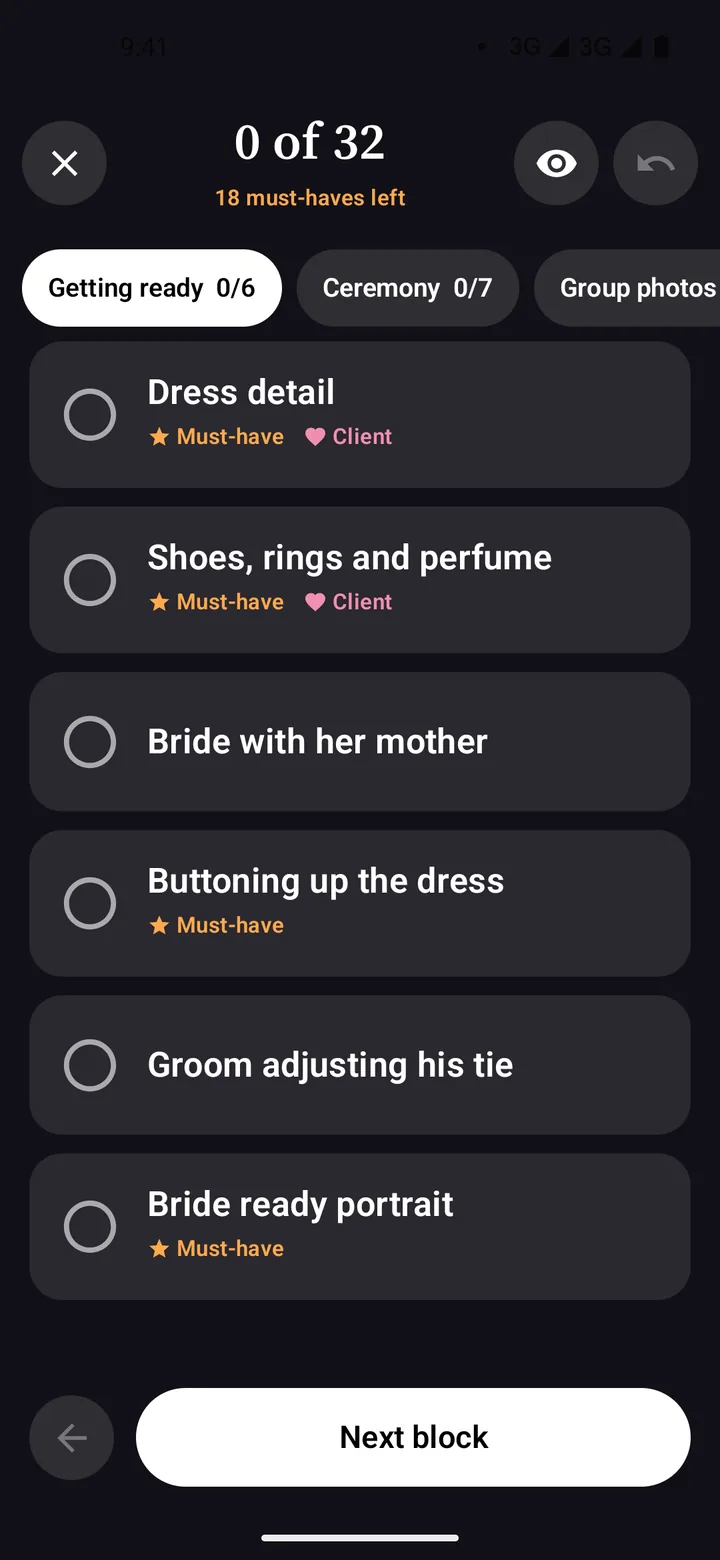
On the day
Full-screen shoot mode: block by block, one tap per shot and a warning about must-haves still missing.
Your client joins in
They pick styles and shots on their phone, with nothing to install.
They get a link with your proposal, mark what they want, add what's missing and send it back in a minute.
- WhatsApp, SMS, email or QR. It opens on any phone, in their language — one of 34.
- Notified when they answer. A notification when they reply; apply their choices to the list with one tap.
- Important people and reference photos. Who must be in the photos and up to 10 images that inspire them.
- Only you can see it. The proposal and answers are encrypted and deleted when you close the form or after 30 days.
What sets us apart
Built for photographers who work with clients.
Shot list apps are usually made for film sets or are generic notes. Sign Shoot is made for client shoots, from weddings to products.
Eight photography templates
Wedding, portrait, family, product, fashion, stock, event and real estate, with must-have shots and gear.
Your client decides with you
Styles, favourite shots, shots to skip, important people and references — no calls or stray screenshots.
Shoot mode
Dark screen, big shots and a counter. See at a glance which must-haves are missing before you pack up.
Gear ready
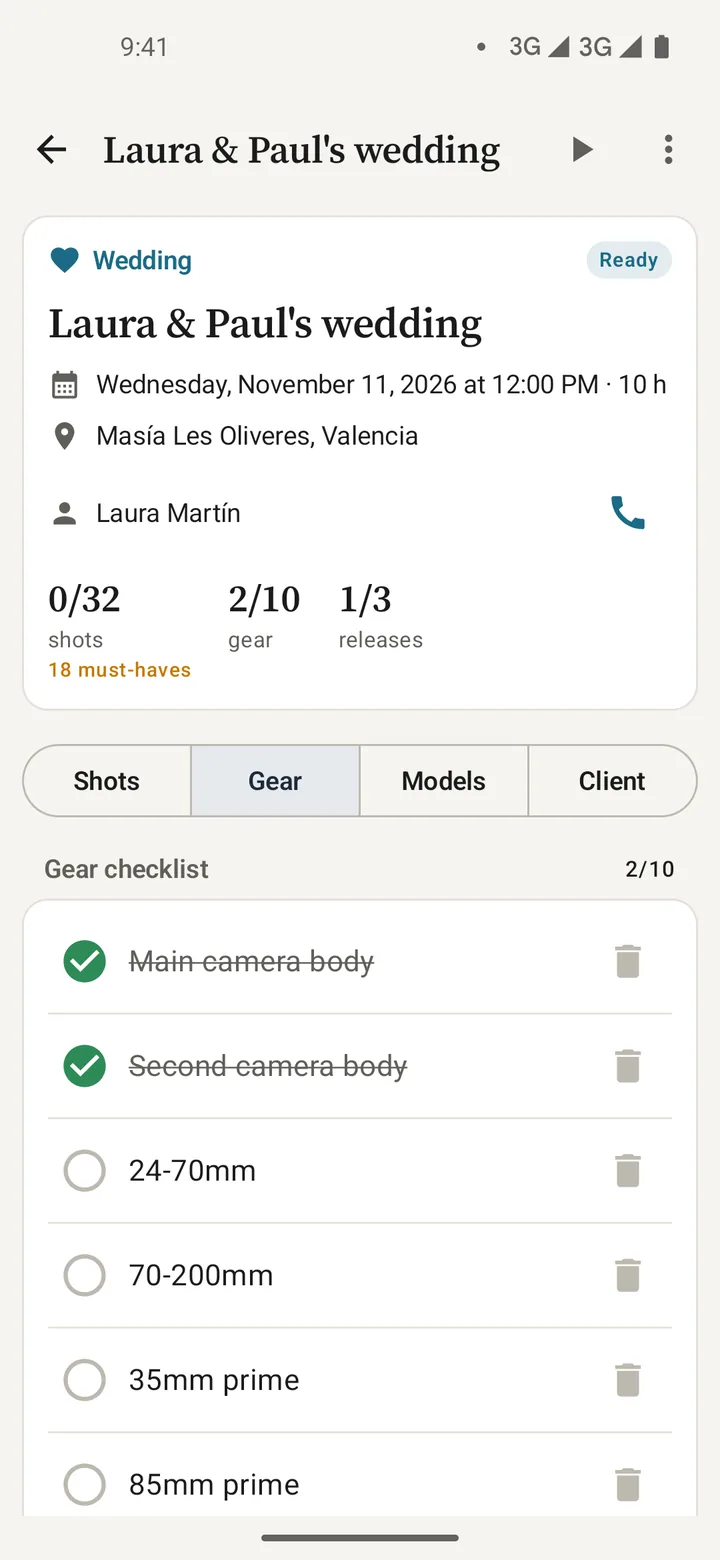
A checklist per shoot, reusable kits and your Sign Gear inventory. A reminder the day before to charge batteries.
Models and releases
Flag shots that need a release and request the signature with Sign Release; the shoot updates itself when signed.
34 languages
The app in yours and the client form in theirs, automatically.
Your data stays on your phone
No accounts and works offline. Only the client link goes through the server, encrypted and temporary.
The Sign family
Quotes and contracts with Sign Contract, releases with Sign Release and gear with Sign Gear.
Everything in order
Every shoot, at a glance.
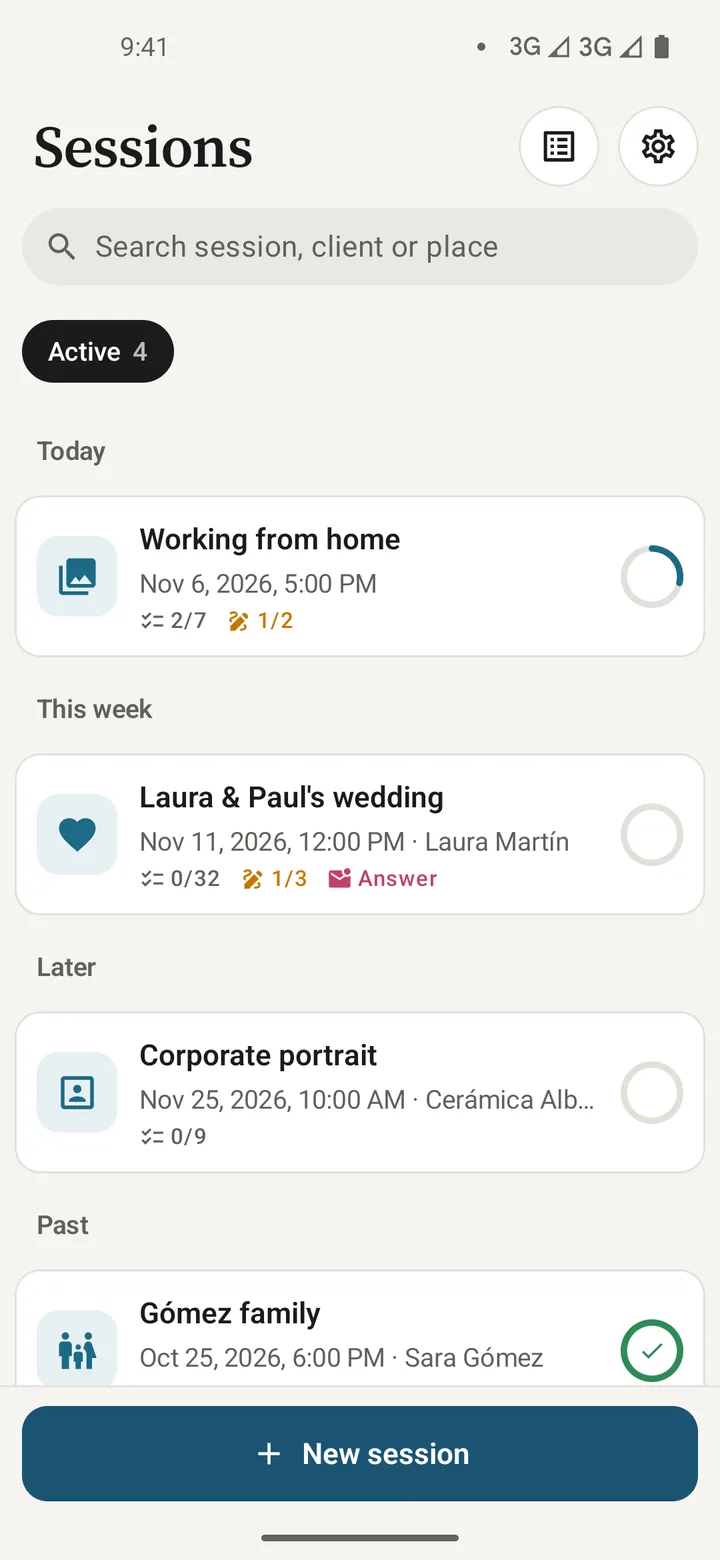
Today's shoots, this week's and the next ones, with what's left to do for each.
- Progress for every shoot. Shots done, gear packed, releases signed and the client's answer.
- Shoot PDF. For you or your second shooter, with blocks, shots, gear and people.
- Backup. Save it wherever you like and restore it on iPhone too.
Pricing
Start free. Go Pro when you need it.
All 8 templates, shoot mode, gear and the 34 languages are in both versions.
Free
To get started
- 2 active shoots
- 1 client link a month
- All 8 built-in templates
- Shoot mode and gear checklist
- “Made with Sign Shoot” in the PDF
Pro
Price on Google Play and the App Store: monthly, yearly with a 7-day trial, or a one-time purchase
- Unlimited shoots
- Unlimited client links
- Your own templates
- Shoot PDF without branding
- Everything in the free version
FAQ
What people usually ask.
Does my client need to install anything?
No. They open the link or QR code in their phone's browser, with no account or password, and see the form in their language.
Where is the data stored?
On your phone. Only the client link goes through the server: the proposal and answers are encrypted with a key that's only in the link, and deleted when you close the form or after 30 days.
Does it work offline?
Yes: shoots, shots, gear, shoot mode and PDF. Only the client link needs a connection.
Can I create my own templates?
Yes, with Pro: duplicate a built-in one or save any shoot as a template, with its blocks, shots and gear.
Does it work with Sign Release and Sign Gear?
Yes. “Request signature” opens Sign Release with the person's and shoot's details, and you can import a gear kit from Sign Gear.
Is there an iPhone version?
Yes, it's on the App Store. And your clients can answer from any phone, without installing anything.
Your next shoot, with a shot list agreed with your client.
Download it free and plan your first two shoots.